Midmark® Dental Delivery Drive Air Adjustment Test and Repair
|
Model |
DS-1100-001 | DS-1200-001 |
| Serial Number | All | All |
 Access Drive Air Pressure Readings
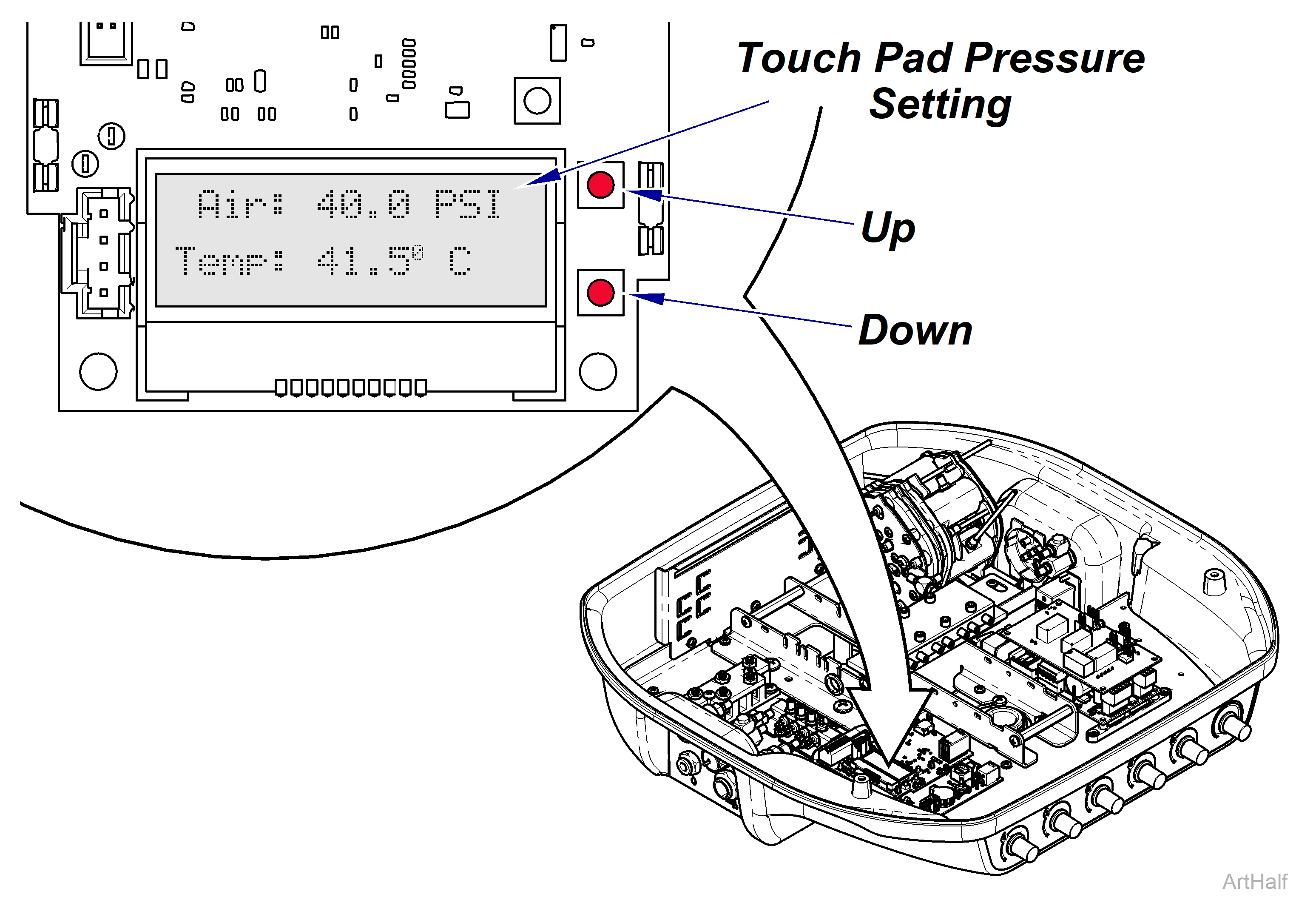
The drive air pressure can be adjusted on the Doctor’s delivery system to match various manufacturer’s handpiece requirements.
•Option A – Touch Pad: Use the Up or Down buttons on the PC board to navigate to the pressure screen until the pressure display appears.
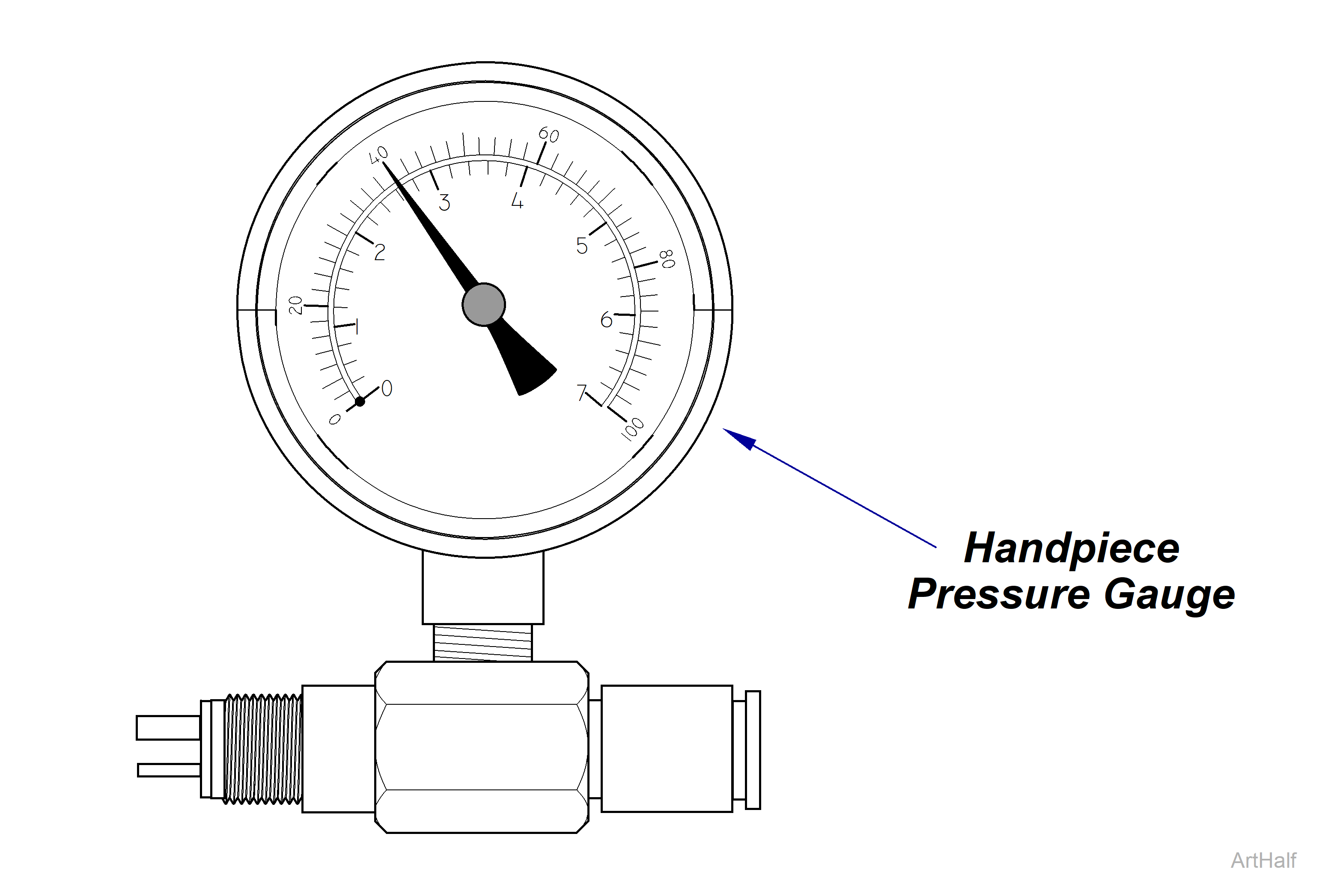
•Option B – Handpiece Pressure Gauge: Insert gauge between tubing and handpiece.
Always follow the handpiece manufacturer’s recommended drive air settings. Failure to do so may result in damage to the handpiece.
Set Drive Air Pressure
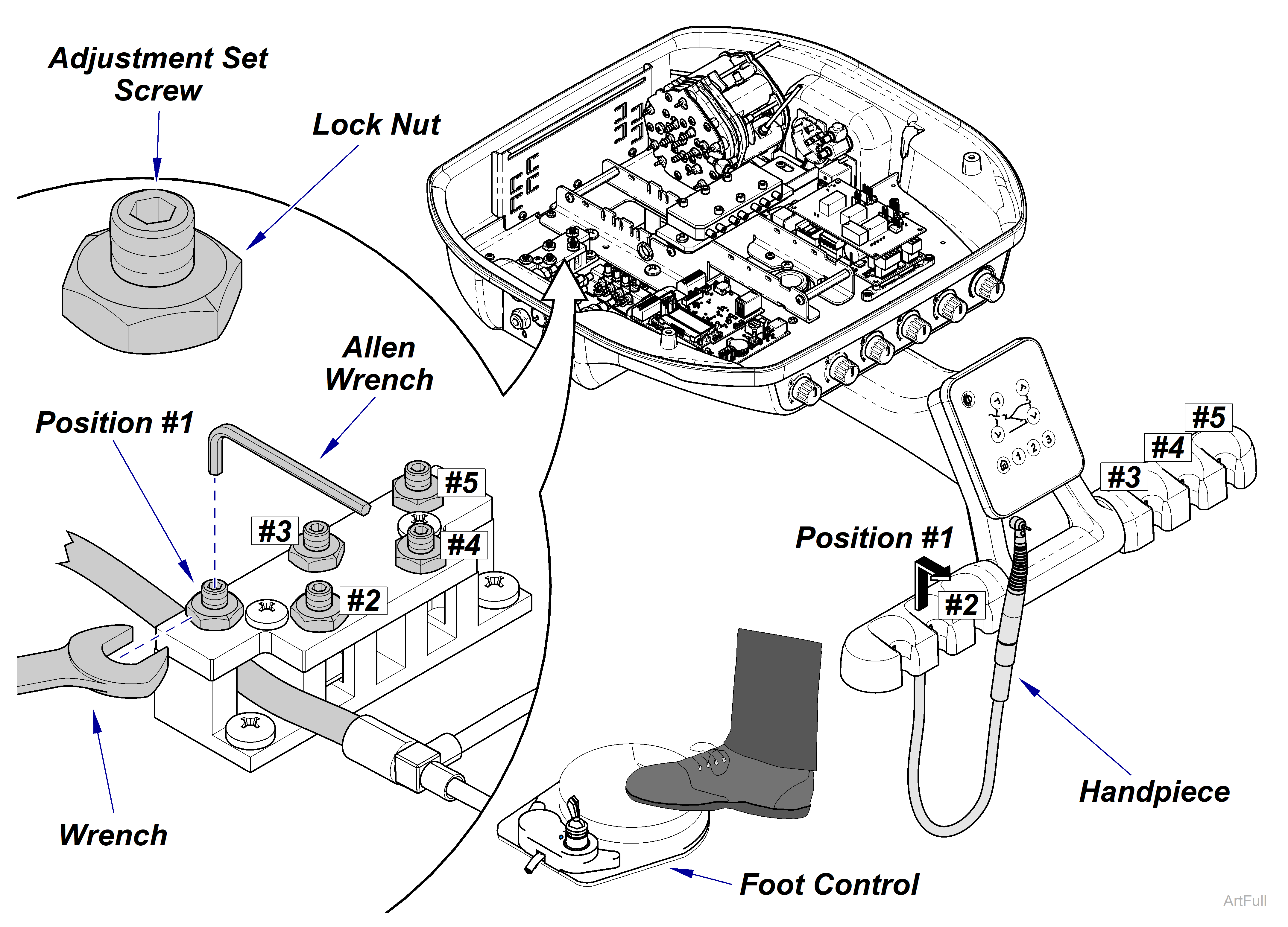
1.Loosen the lock nut for the corresponding air-driven handpiece.
2.Remove the selected air-driven handpiece from its holder.
3.Press the foot control to run the handpiece.
4.Adjust the air pressure by turning the adjustment set screw with an Allen wrench while
5.monitoring the gauge or display.
6.When the pressure reaches the handpiece manufacturer’s recommended pressure, release the foot control and secure the setting by tightening the lock nut.
7.Reattach the top cover.
Do not restrict the drive air for electric handpieces, as it is essential for their cooling. Restricting the airflow will result in the handpiece overheating.
Midmark® Dental Delivery Set Drive Air Pressure