Elevance® Chair Synchronize the Wireless Remote Test and Repair
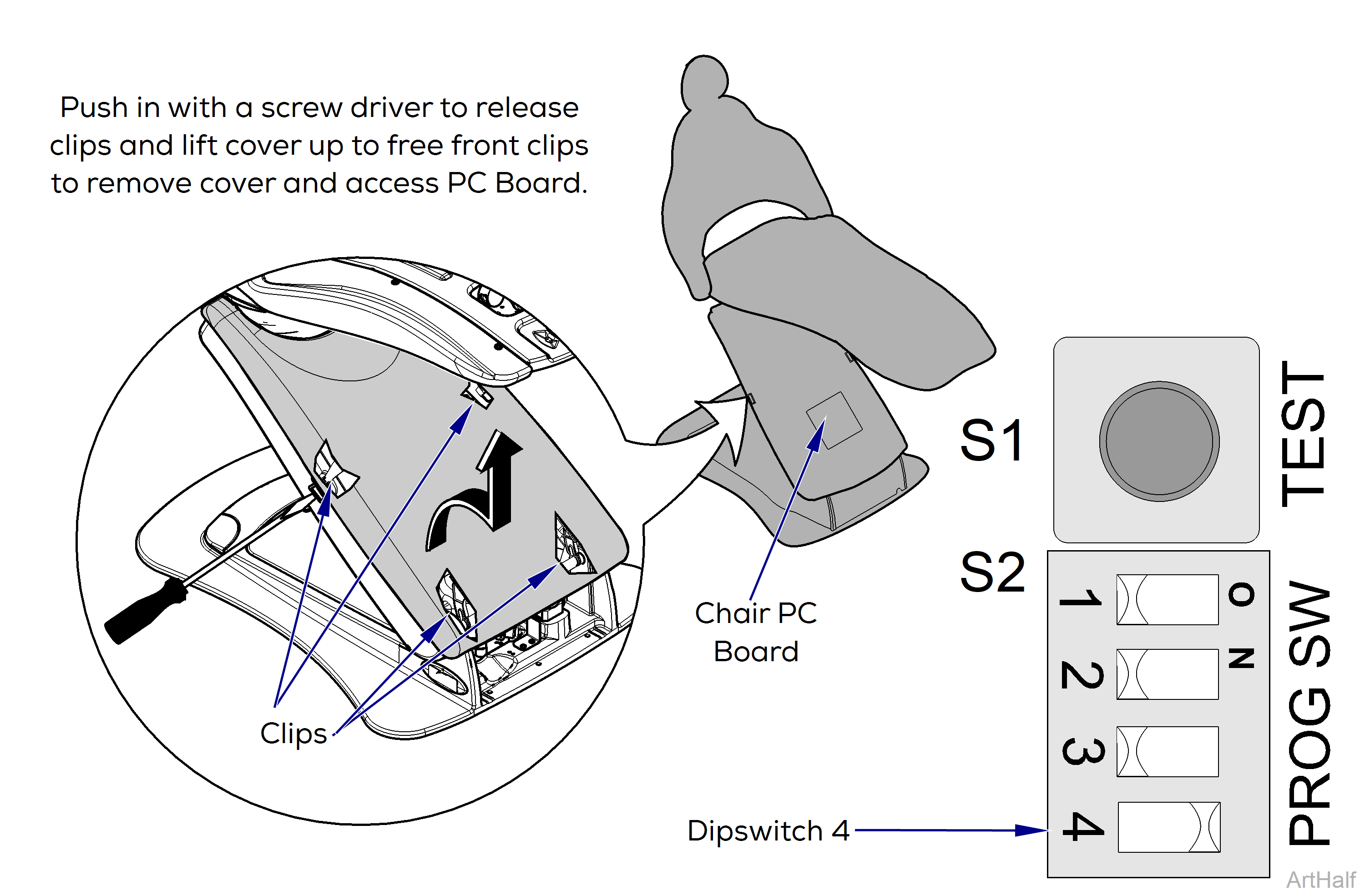
If nothing happens when any button on the wireless remote is pressed and no led lights on the PC board flash, the remote either needs new batteries or needs to be synchronized.
Synchronize the wireless remote
1.Chair must be Powered ON.
2.Verify that Chair has been calibrated. Refer to: Calibration Procedure
3.Remove Upper Arm Lift Cover and the PC Board cover (two screws).
4.Locate the S2 PROG SW on the PC board and set dipswitch 4 to the ON position. Listen for two beeps.
5.Press and hold buttons 2 and 3 on the remote within three seconds of moving dipswitch 4. Listen for three short beeps from the Chair then three beeps from the Remote.
6.Set dipswitch 4 to the OFF position to complete the synchronization process.
7.Replace PC Board and Upper Arm Lift covers.